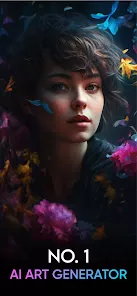
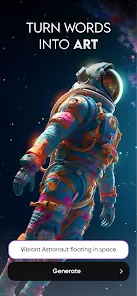
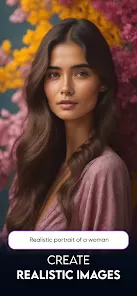
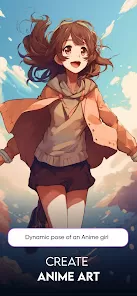
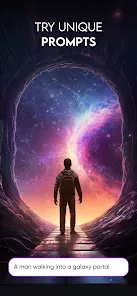
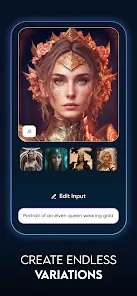
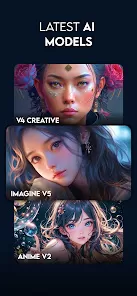
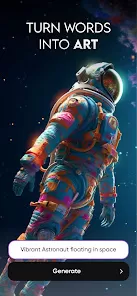
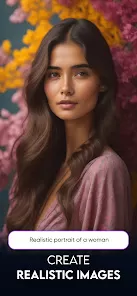
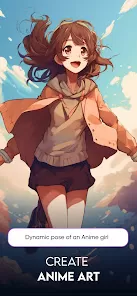
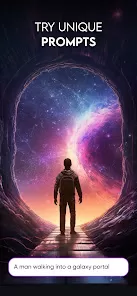
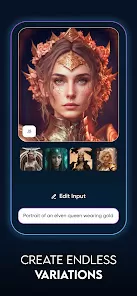
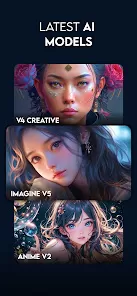
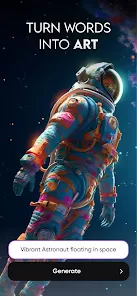
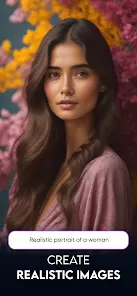
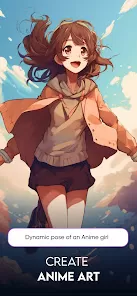
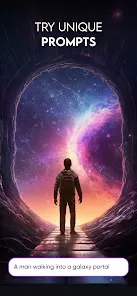
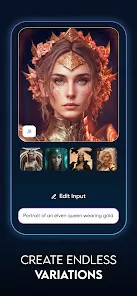
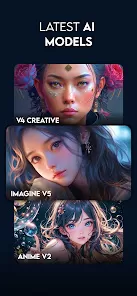
Imagine: AI Art Generator is a mobile and web-based application that utilizes artificial intelligence to transform user inputs into original works of art. By harnessing machine learning models, the app can generate diverse styles and compositions based on user preferences, prompts, or existing images. It caters to a wide range of creative needs, from generating abstract art to producing visually appealing designs for various applications.
Key Features
- AI-Driven Art Creation: Generate artwork using sophisticated AI algorithms. Users can input prompts, select styles, and let the app create artwork that aligns with their specifications.
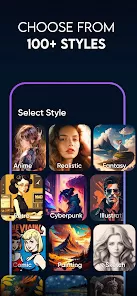
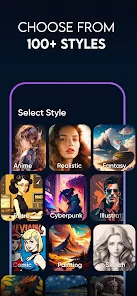
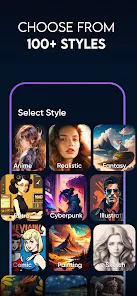
- Multiple Art Styles: Choose from a variety of art styles, including abstract, impressionist, surrealist, and more. The app offers options to experiment with different artistic genres and techniques.
- Customization Options: Customize the generated artwork by adjusting parameters such as color schemes, brush strokes, and texture settings. Users can fine-tune their creations to match specific artistic visions.
- Image Upload and Enhancement: Upload existing images to the app and enhance or transform them using AI. This feature allows users to apply artistic effects and styles to their own photos.
- High-Resolution Output: Download and save artwork in high-resolution formats suitable for printing or digital use. The app ensures that the quality of generated art meets professional standards.
- In-App Art Gallery: Explore a gallery of artworks created by other users. This feature allows for inspiration, sharing ideas, and viewing different interpretations of the same prompts or styles.
- User-Friendly Interface: Navigate the app with ease thanks to its intuitive design. The user interface is designed to be accessible for both novice and experienced users.
- Social Sharing: Share your artwork directly on social media platforms or through email. The app facilitates easy sharing and promotion of your creative work.
Pros & Cons
Pros
- Innovative Art Generation: The app’s AI-driven technology offers a novel way to create art. It provides unique and diverse results that might be difficult to achieve manually.
- Wide Range of Styles: With multiple art styles to choose from, users can explore various artistic expressions and find the style that best suits their needs.
- Customizable Creations: The ability to adjust parameters and customize artwork allows for greater control over the final output. Users can create art that aligns closely with their vision.
- Image Enhancement: The option to upload and transform existing images provides added flexibility. Users can enhance their photos or give them a new artistic twist.
- High-Resolution Downloads: The app’s high-resolution output ensures that artwork is suitable for professional use, including printing and high-quality digital displays.
Cons
- Dependence on AI Algorithms: The quality of generated art depends on the underlying algorithms. Users may occasionally encounter results that do not meet their expectations or require multiple iterations to achieve desired outcomes.
- Learning Curve: New users might face a learning curve while navigating the app’s features and customization options. Familiarity with the interface and settings may take time.
- Limited Free Features: Some advanced features and high-resolution downloads may be restricted to premium versions or require additional purchases. This could be a barrier for users looking for free access.
- Artistic Limitations: While the app is powerful, it may not fully replicate the nuances of human creativity. Users seeking highly specific or traditional artistic methods may find the AI-generated results less satisfying.
Functions
- AI Art Generation: Create art by providing prompts or selecting styles. The AI processes user inputs to generate unique artwork.
- Style Selection: Choose from a range of artistic styles. Experiment with different styles to achieve the desired effect in your artwork.
- Customization Tools: Adjust settings such as colors, textures, and brush strokes. Fine-tune the artwork to match your preferences.
- Image Upload and Transformation: Upload images and apply artistic effects. Transform personal photos into stylized or enhanced versions.
- High-Resolution Export: Download artwork in high-resolution formats. Use the exported files for printing or high-quality digital presentations.
- Art Gallery: Explore and view art created by other users. Use the gallery for inspiration and creative ideas.
- Social Sharing: Share your artwork on social media platforms or via email. Promote and showcase your creations easily.
How to Use the App
Step-by-Step Guide
- Download and Install the App:
- For iOS users: Open the Apple App Store, search for "Imagine: AI Art Generator," and tap "Get" to download and install the app.
- For Android users: Go to the Google Play Store, search for "Imagine: AI Art Generator," and tap "Install."
- For web users: Visit the Imagine website and sign up or log in to use the web-based version of the app.
- Create an Account:
- Open the app and follow the registration process to create an account. Provide necessary personal information and choose a subscription plan if applicable.
- Select Art Style:
- Browse the available art styles and select one that suits your creative vision. Explore different genres and techniques to find the style you want to work with.
- Input Prompts or Upload Images:
- Enter prompts for AI-generated art or upload existing images if you want to enhance or transform them. Provide specific instructions or choose settings for customization.
- Customize Your Artwork:
- Use the app’s customization tools to adjust parameters such as color schemes, textures, and brush strokes. Fine-tune the artwork to match your preferences.
- Preview and Refine:
- Preview the generated artwork and make any necessary adjustments. Refine the details to ensure the final output aligns with your artistic vision.
- Save or Download:
- Save the artwork within the app or download it in high-resolution format. Choose the format that best suits your intended use, whether for printing or digital display.
- Explore the Art Gallery:
- Visit the in-app art gallery to view works created by other users. Use this feature for inspiration and to see how others interpret similar prompts or styles.
- Share Your Artwork:
- Share your creations on social media platforms or via email. Promote your art and showcase your work to a broader audience.
- Provide Feedback:
- Give feedback on the app’s performance and features. Your input helps improve the app and contribute to its ongoing development.


 0
0